


Fake CAPTCHAs and Webflow Phishing: A Sneaky Cyber Trap in 2025
Cybercriminals are at it again, and this time they’re using a trick that’s as old as the internet but dressed up in a shiny new package. In the past week, a sophisticated phishing campaign has been making waves by exploiting Webflow’s Content Delivery Network (CDN) and fake CAPTCHA pages to steal your personal info. If you’ve ever clicked “I’m not a robot” on a website, you’ll want to pay attention to this one. Let’s break down what’s happening, why it’s a big deal, and how you can stay safe from these digital con artists.
What’s the Deal?
Reported on February 17, 2025, by Cybersecurity News, this phishing campaign is a masterclass in deception.^1^ Hackers are abusing Webflow’s CDN—a trusted platform used by legit websites to deliver content quickly—to host fake CAPTCHA pages that look scarily real. These pages pop up when you search for something online, luring you into thinking you’re just verifying you’re human. Instead, you’re handing over sensitive info like credit card details or login credentials to crooks. The campaign tricks users by mimicking subscription services, making you believe you’re signing up for something harmless while the hackers are busy harvesting your data.
The attackers are sneaky, using search engine results to direct victims to these malicious pages. Once you’re there, the fake CAPTCHA prompts you to enter personal details under the guise of “verification.” Before you know it, your financial info or account credentials are in the hands of cybercriminals, ready to be sold on the dark web or used for identity theft. This campaign’s scale isn’t fully known, but its reliance on trusted platforms like Webflow’s CDN makes it a widespread threat, especially for unsuspecting users who don’t double-check website legitimacy.^1^
Why This Matters
Phishing scams like this are a direct attack on your privacy and wallet. By stealing your login credentials or financial details, hackers can drain your bank account, hijack your accounts, or even commit identity theft to open credit lines in your name. What makes this campaign extra worrisome is its use of a trusted CDN, which bypasses some browser security warnings. It’s like a wolf in sheep’s clothing—everything looks legit until it’s too late. For businesses, a compromised employee account can lead to bigger breaches, exposing sensitive company data or customer records. For individuals, it’s a personal nightmare that can take months to resolve.
The Bigger Picture
This isn’t a one-off. Recent cybersecurity reports, like those from The Hacker News, show a surge in phishing attacks using trusted platforms to dodge detection.^2^ From fake browser extensions to malicious ads, hackers are getting creative at blending in. The Webflow phishing scam highlights a growing trend: cybercriminals are exploiting tools we rely on daily, like search engines and CDNs, to trick us. It’s a reminder that even the most routine online actions—like clicking a CAPTCHA—can be a trap if you’re not careful.
How to Stay Safe
Avoiding these scams starts with staying sharp. Always check the website’s URL before entering any personal info—hover over links to see where they really lead. Be wary of unsolicited prompts asking for sensitive data, especially on unfamiliar sites. Using a strong antivirus with real-time web protection can also catch malicious pages before they load. And don’t skip multi-factor authentication (MFA) on your accounts—it’s an extra lock that makes it harder for hackers to get in, even if they snag your password.
How Cyber Privacy Suite Can Help
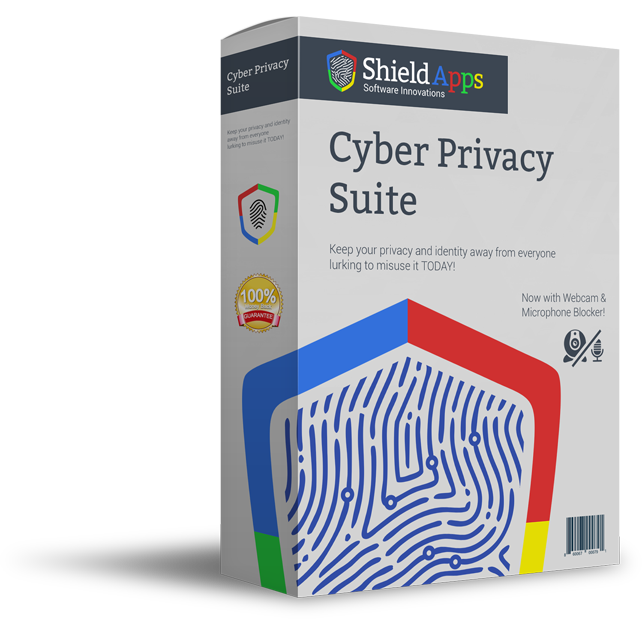
Cyber Privacy Suite by ShieldApps is your go-to defense against sneaky phishing scams like the Webflow CAPTCHA attack. Its anti-tracking technology blocks malicious scripts that try to monitor your browsing, stopping hackers from luring you to fake pages via search results. The suite’s real-time threat detection scans for phishing attempts, flagging suspicious websites before you enter any data. Its identity protection features also keep an eye on the dark web, alerting you if your stolen credentials show up, so you can act fast. Plus, with webcam and microphone safeguards, Cyber Privacy Suite ensures hackers can’t spy on you even if they compromise your device. Whether you’re browsing at home or securing a business, this tool adds a vital layer of protection to keep your personal info safe.^3^
Wrapping Up
The Webflow phishing campaign is a wake-up call that even trusted platforms can be weaponized by cybercriminals. By hiding behind fake CAPTCHAs, hackers are stealing data with alarming ease. But with a bit of caution—checking URLs, using MFA, and leveraging tools like Cyber Privacy Suite—you can outsmart these scams. Stay alert, and keep your digital life locked down tight!
Resources
1. Cybersecurity News. (2025, February 17). Phishing Campaign Exploits Webflow CDN and Fake CAPTCHAs. Retrieved from https://cybersecuritynews.com/new-phishing-attacks-abuses-webflow-cdn-captchas/
2. The Hacker News. (2025, August 11). Weekly Recap: BadCam Attack, WinRAR 0-Day, EDR Killer, NVIDIA Flaws, Ransomware Attacks & More. Retrieved from https://t.co/p7NXbPSmIV
3. ShieldApps. (n.d.). Cyber Privacy Suite. Retrieved from https://shieldapps.com/products/cyber-privacy-suite/